
Have you ever wanted to see yourself as a Cyberpunk warrior, a Disney character, or even a Renaissance painting? With the latest Gemini (Nano Banana) update, you don’t need Photoshop anymore. You just need one photo and the right prompt.
In this guide, we’ll show you how to upload your selfie and transform it into anything you can imagine.
Step 1: Uploading Your Reference Photo
To start, open Gemini and click the Image icon. Upload a clear selfie with good lighting.
Pro Tip: Avoid filters or sunglasses if you want the AI to recognize your facial features accurately.
Step 2: The “Magic” Prompt Structure
Gemini needs to know that you want to keep your face but change the style. Use this formula: “Using this uploaded image as a structural and facial reference, transform the subject into [STYLE] while keeping the same pose and features.”
Step 3: 3 Cool Styles to Try Right Now
1. The The “Ancient Greek Statue”
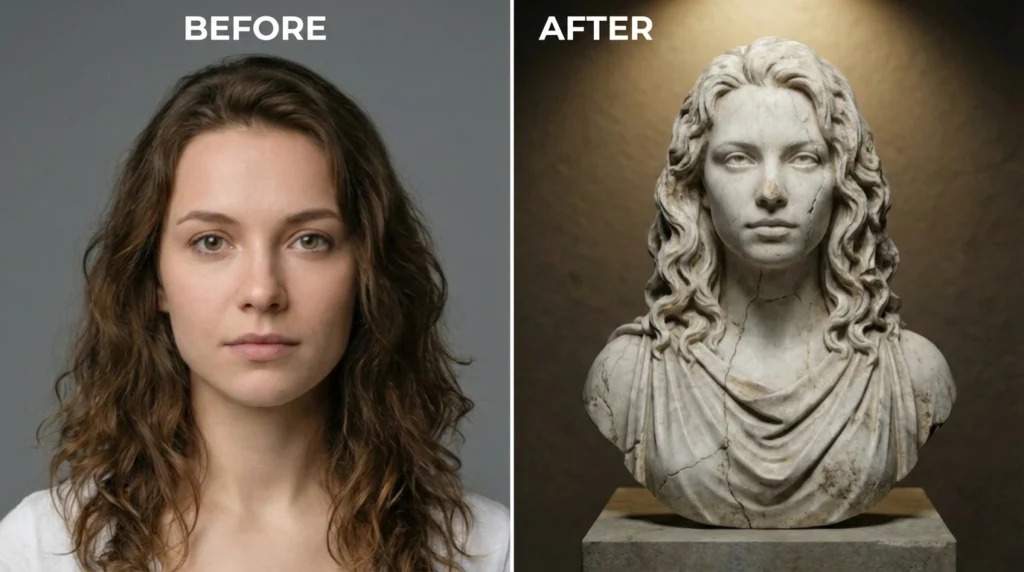
Prompt:
"Turn the person in this image into a white marble Greek statue. Detailed carvings, realistic stone texture, cracks for an antique look, set against a dark museum background with a single spotlight."
2. The “Disney/Pixar” 3D Style
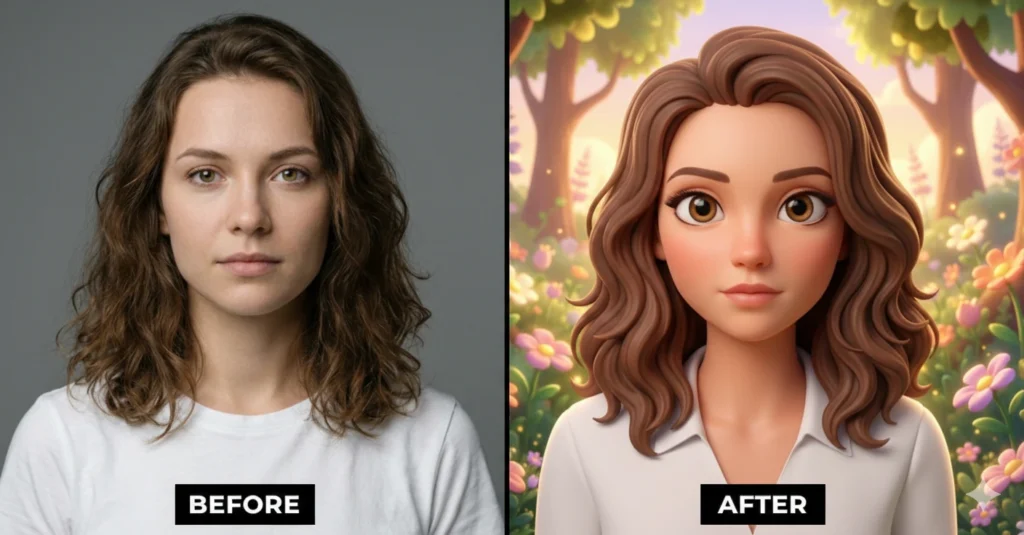
Prompt:
"Reimagine this photo as a high-quality 3D Disney Pixar character. Big expressive eyes, smooth stylized skin, vibrant colors, and a whimsical background. Maintain the same outfit and pose from the original image."
3. The “Cyberpunk 2077” Transformation
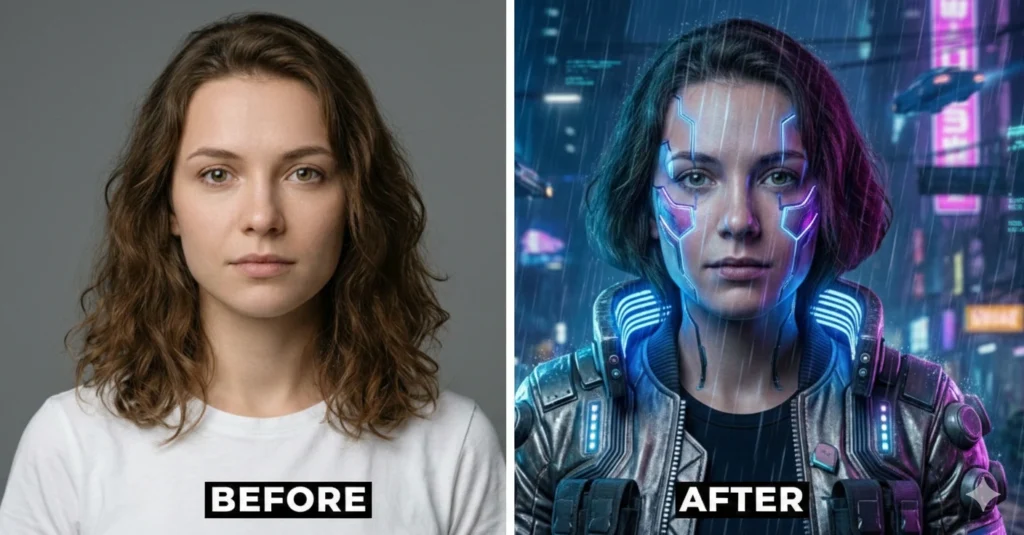
Prompt:
"Transform the person in this photo into a Cyberpunk 2077 character. Add glowing neon implants on the face, a high-tech metallic jacket, and a futuristic night city background with rain and neon lights. Keep the facial likeness 100%."
Step 4: How to Change the “Pose”
If you want to change what you are doing in the photo (e.g., you are sitting but want to be flying), use this: Prompt: “Take the facial features from this image but put the character in a dynamic superhero flying pose, wearing a cape, soaring through the clouds at sunset. High cinematic quality.”
Learn the step-by-step process of using Gemini AI to turn your selfies into artistic styles like Cyberpunk, Pixar, and Marble Statues while keeping your facial features
- Upload Your Reference Photo
Open Gemini and upload a high-quality selfie with clear facial features
- Choose Your Desired Style
Decide on the art style you want (e.g., Cyberpunk, Pixar, or Statue) and prepare the specific prompt
- Enter the Transformation Prompt
Paste the prompt into Gemini, making sure to ask it to maintain your facial likeness.
- Refine and Download
Use the refine tool to adjust details and then save your new AI-generated masterpiece.
you may like: Gemini AI Couple Prompt – Cinematic Romantic Studio Portrait