Artificial intelligence image generation has changed the creative world. With Gemini AI’s powerful multimodal capabilities, users can now create cinematic portraits, hyper-realistic photos, anime art, and viral social media visuals, all from a well-written prompt.
But here’s the truth:
Most people get average results because they don’t understand how to structure a proper Gemini AI image prompt.
In this complete guide, you’ll learn:
- How Gemini AI image prompting works
- The anatomy of a perfect prompt
- Copy-paste prompt formulas
- Realistic portrait prompts
- Cinematic and 9:16 viral prompts
- Advanced pro techniques
Let’s master it step-by-step.
What Is Gemini AI Image Generation?
Gemini AI is Google’s multimodal AI system capable of understanding and generating text, images, and structured content. When generating images, Gemini interprets:
- Descriptive language
- Lighting instructions
- Camera angles
- Mood and emotion
- Composition and framing
The better your instructions, the better your output.
Gemini doesn’t “guess.” It interprets structured detail.
That’s why prompt quality matters.
How Gemini AI Prompts Actually Work
A Gemini image prompt is essentially a creative blueprint.
It works in layers:
- Subject (Who or what?)
- Environment (Where?)
- Lighting (How is it lit?)
- Camera & Lens (How is it captured?)
- Mood & Style (What feeling?)
- Technical Quality (Resolution, realism level)
If one layer is missing, the image may look generic.
The Anatomy of a Perfect Gemini Prompt
Here’s a proven structure:
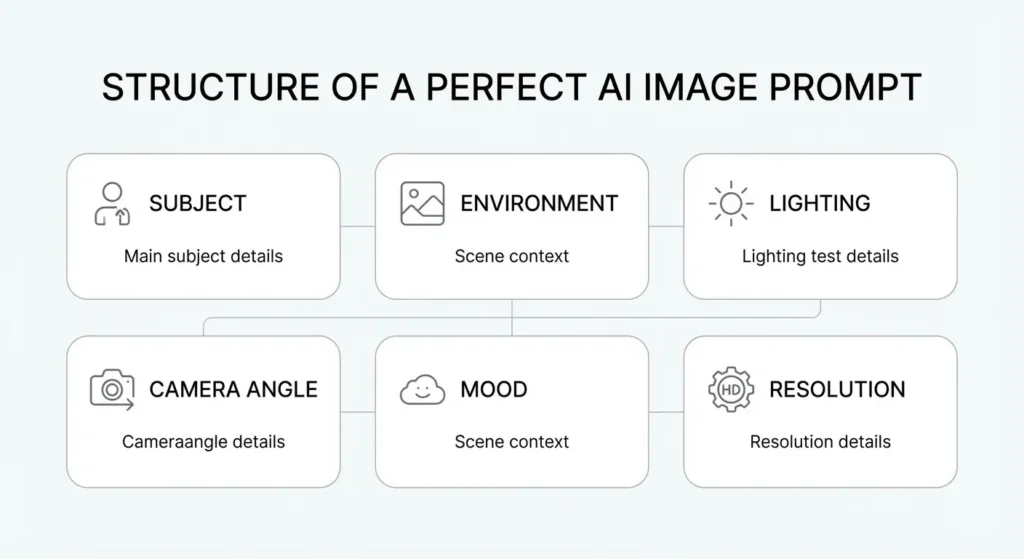
[Subject] + [Detailed Physical Description] + [Environment] + [Lighting] + [Camera Angle] + [Lens Type] + [Mood] + [Resolution & Quality Tags]
Example Formula:
A hyper-realistic portrait of a confident young man with sharp jawline and natural skin texture, standing in a modern studio environment, dramatic softbox lighting from the left, low angle shot, 85mm lens, shallow depth of field, cinematic mood, ultra-detailed, 8K resolution, high contrast
This structure works because it removes ambiguity.
Best Gemini AI Prompt Formulas (Copy & Paste)
1️⃣ Realistic Portrait Formula
Ultra-realistic studio portrait of [subject], natural skin texture, detailed facial features, soft diffused lighting, 85mm lens, shallow depth of field, professional photography, high dynamic range, 8K resolution
Use for:
- Profile pictures
- Professional headshots
- Branding visuals
2️⃣ Cinematic Scene Formula
Cinematic wide shot of [subject] in [environment], dramatic lighting, volumetric light rays, dynamic shadows, low angle perspective, 35mm lens, film grain texture, moody atmosphere, ultra-detailed, 8K
Use for:
- Storytelling visuals
- Dramatic scenes
- Action-style compositions
3️⃣ Viral 9:16 Social Media Formula
Vertical 9:16 aspect ratio, hyper-realistic image of [subject], vibrant colors, sharp focus, strong contrast, trending Instagram aesthetic, natural lighting, detailed textures, ultra-high resolution
Use for:
- Reels
- Shorts
- TikTok thumbnails
Realistic Gemini AI Portrait Prompts
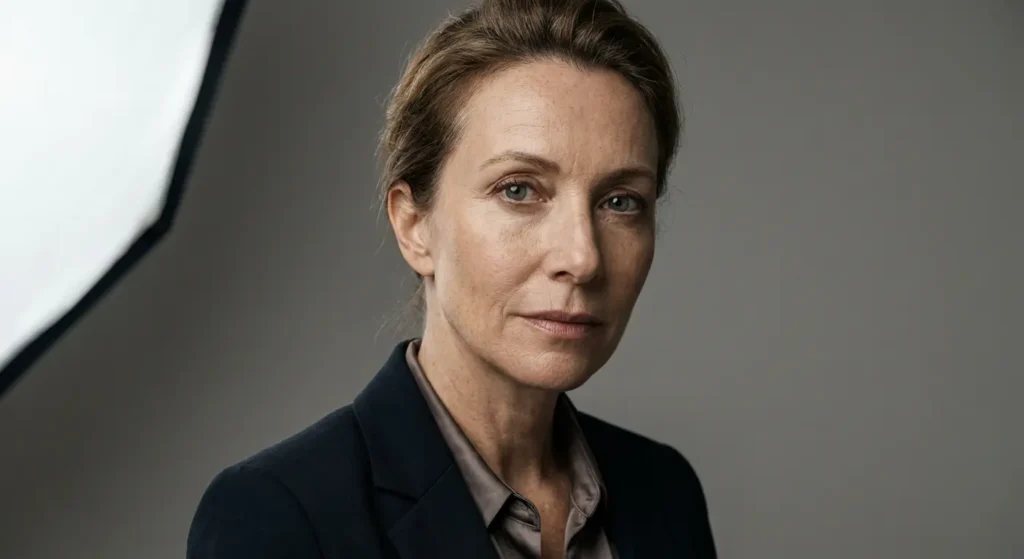
Here’s a premium example:
Hyper-realistic professional studio portrait of an elegant woman with natural skin texture and subtle makeup, wearing a black blazer, soft directional lighting, shallow depth of field, 85mm lens, neutral background, cinematic contrast, ultra-detailed, 8K resolution
Why this works:
- Specific wardrobe
- Defined lighting direction
- Professional camera reference
- Clear realism indicators
Cinematic Gemini AI Prompts
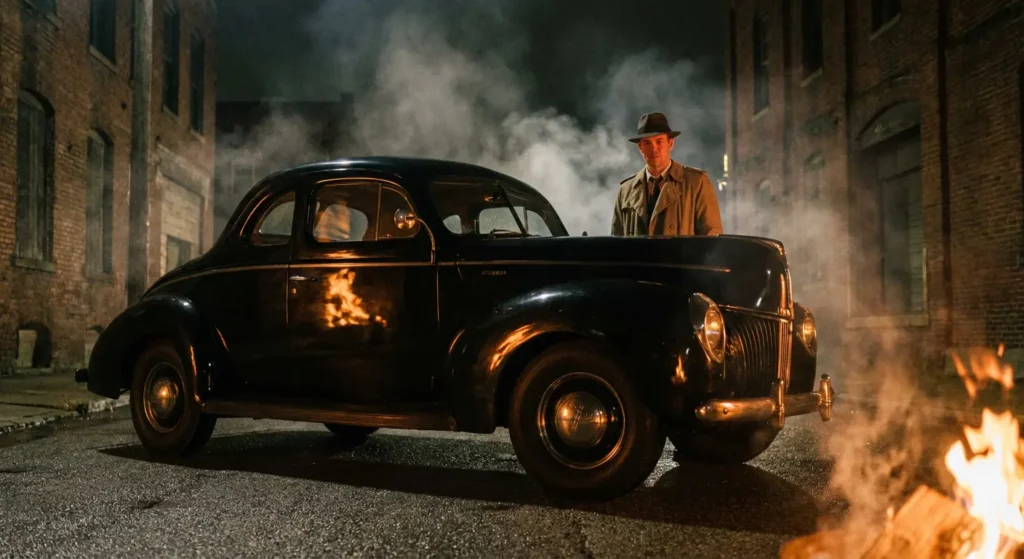
Example:
Extreme low-angle cinematic shot of a man standing beside a vintage black car at night, dramatic firelight reflecting on his face, smoke in the background, wide 35mm lens, high contrast lighting, filmic color grading, ultra-detailed, 8K resolution
Cinematic prompts rely heavily on:
- Perspective
- Lighting contrast
- Atmospheric elements (smoke, rain, fog)
Common Gemini AI Prompt Mistakes
❌ Too short
❌ No lighting description
❌ No camera angle
❌ No realism indicators
❌ Overloading random adjectives
Keep prompts structured.
Pro-Level Gemini Prompt Tricks
1️⃣ Add Micro-Details
Instead of:
“Realistic portrait”
Use:
“Visible skin pores, natural skin imperfections, subtle facial shadows”
2️⃣ Control Lighting Direction
- Soft lighting from left
- Backlit silhouette
- Golden hour sunlight
- Neon reflections
Lighting = realism.
3️⃣ Use Camera Language
- 85mm lens = portrait realism
- 35mm lens = cinematic wide
- Shallow depth of field = professional look
Frequently Asked Questions
What is the best format for Gemini AI image prompts?
The best format includes subject, environment, lighting, camera angle, mood, and resolution indicators.
How long should a Gemini AI prompt be?
Ideally 2–5 structured lines. Detailed but not overloaded.
Does Gemini AI understand camera lens terms?
Yes. Using terms like 85mm lens or shallow depth of field improves realism.
How do I make Gemini images more realistic?
Add lighting direction, skin details, texture indicators, and camera specifications.
Final Thoughts
Mastering Gemini AI prompts is about clarity, structure, and intentional detail.
When you think like a photographer and write like a director, Gemini produces dramatically better results.
Use this guide as your foundation.
Now build from here.
You may like: Gemini AI Prompt for Stylish Photoshoot: 5 Viral Ideas
Pingback: 10 Food Photography Prompts That Look Like Michelin Restaurant Ads (Gemini AI)