
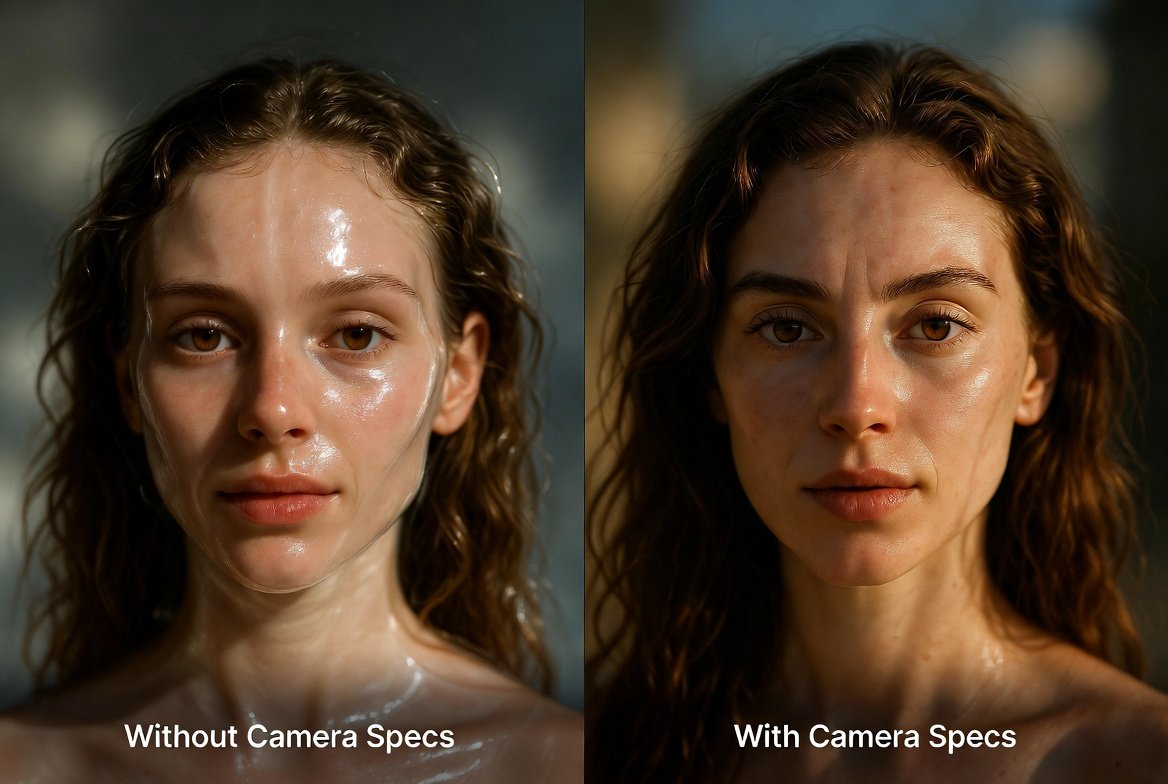
Let’s be honest for a second: we’ve all been there. You head over to Gemini, type in a prompt like “a beautiful woman in a coffee shop,” and wait for the magic to happen. The result? It’s… okay. But it has that tell-tale “AI plastic” look. The skin is too smooth, the lighting feels artificial, and the whole thing just screams “generated.”
At Gemini Prompt Lab, we spent weeks trying to figure out why some creators get results that look like National Geographic covers while others get something out of a cheap video game. The answer wasn’t in the adjectives; it was in the Camera Specifications.
If you want to stop “generating” and start “photographing” with AI, you need to speak the language of a cinematographer. Here is the deep dive into how to do exactly that.
The Psychological Shift: You are the Director, Not the User:
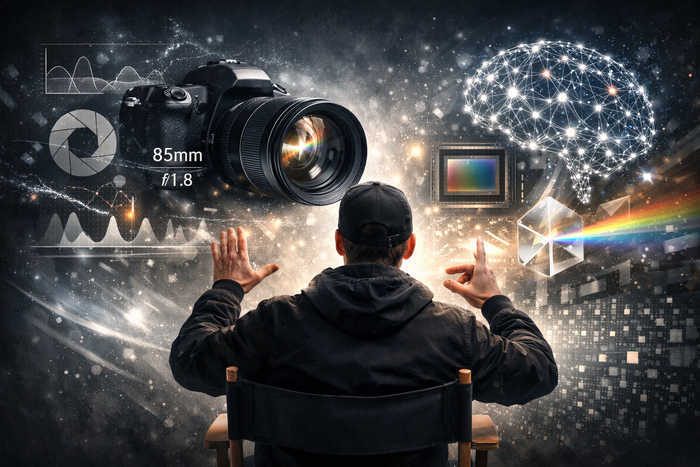
The biggest mistake most people make is treating Gemini like a search engine. When you provide technical specs, you’re shifting from a “user” to a Director.
Think about it: A real-world camera is a physical object governed by the laws of physics—optics, light, and glass. When you include terms like “85mm” or “f/1.8,” you aren’t just giving the AI a suggestion; you are providing it with a physical framework. You are telling the neural network to prioritize the way light actually hits a sensor. This single shift in mindset is what separates the pros from the amateurs.
Let’s Talk Glass: The Magic of Focal Length
In photography, the lens you choose determines how you see the world. In AI prompting, the lens you choose determines how Gemini “compresses” the pixels.
The 85mm “Portrait King”
If you’re looking to create a character or a stunning portrait, 85mm is non-negotiable.
- The “Human” Reason: It creates a slight compression of the face that is incredibly flattering. It makes the nose look smaller and the eyes pop.
- Pro Tip: Don’t just say “portrait.” Say: “A soulful portrait of an elderly fisherman, shot on an 85mm prime lens.” You’ll notice an immediate difference in how the facial structure is rendered.
The 35mm “Street Vibe”
Ever wonder how people get those immersive, “you are there” shots of city streets or cozy interiors? That’s the 35mm.
- The “Human” Reason: This focal length is very close to how we actually see the world with our own eyes. It feels honest and documentary-style.
- Pro Tip: Use this for storytelling. “A rainy night in Casablanca, 35mm lens, capturing the atmosphere of a crowded bazaar.”
Aperture: Controlling the “Soul” of the Image
If focal length is the “eye,” aperture is the “soul.” In technical terms, we’re talking about f-stops (like f/1.8). In human terms, we’re talking about focus and mood.
- That Sweet, Creamy Bokeh
We’ve all seen those professional photos where the subject is sharp but the background is a beautiful, blurry mess of lights. That’s Bokeh.
- The Mistake: Most people just type “blurry background.”
- The Fix: Use “Shallow depth of field” or “Shot at f/1.2.” When you use these specific terms, Gemini understands that you want the transition between the sharp subject and the blur to be smooth and organic, rather than a digital smudge.
- Deep Focus for the Big Picture
Sometimes, you want to see everything, the blade of grass in the front and the mountain in the back.
The Fix: Tell Gemini to use “Deep depth of field” or “f/11 aperture.” This is perfect for architecture or landscape photography where every detail matters.
- Lighting: Stop Saying “Bright” and Start Saying “Directional”
Lighting is usually where AI images fail. They often look like they were lit by a giant fluorescent bulb from every direction. To fix this, you need to tell the AI where the light is coming from.
- Golden Hour: We all know it—that warm, honey-like glow just before sunset. It’s a cheat code for “beautiful.”
- Rembrandt Lighting: This is a classic studio technique. It creates a small triangle of light on the shadowed side of the face. It adds instant drama and “weight” to a portrait.
- Volumetric Fog: Want those “God rays” of light streaming through a window? Use this term. It adds physical substance to the air in your image.
- The “Secret Sauce”: Sensor and Film Stock
If you really want to mess with people’s heads and make them wonder if your image is real, start calling out Film Stocks.
- Kodak Portra 400: This is the gold standard for film photography. It has warm skin tones and a very specific type of “grain” that AI usually lacks.
- Fujifilm Velvia: Use this if you want vibrant, punchy colors for nature shots.
- The “RAW” Advantage: Always add “Unedited RAW photo” or “High dynamic range” to your prompt. This prevents the AI from over-processing the image and gives it a more “straight-out-of-the-camera” feel.
- Composition: Don’t Stand Still
A photo isn’t just what you see; it’s how you see it.
- Low Angle: Want your subject to look heroic? Get low.
- Bird’s Eye View: Want to show the scale of a city? Go high.
- Eye-Level: Use this when you want the viewer to feel like they are having a conversation with the subject. It builds trust and intimacy.
- Putting the “Lab” into Practice: The Formula
Here at Gemini Prompt Lab, we don’t like guesswork. We like formulas. If you want a 10/10 result every time, try building your prompt like this:
[Who/What] + [Doing What] + [Where] + [The Lens] + [The Lighting] + [The Vibe/Film]
Let’s look at a “Real” Example:
“A candid shot of a young woman laughing in a Parisian cafe, shot on a 35mm f/1.4 lens. Soft afternoon sunlight filtering through the window, shallow depth of field with a blurry street scene in the background. Captured on Kodak Portra 400, authentic skin textures, RAW photo style.”
result

Final Thoughts: It’s a Journey, Not a Button
Look, AI is moving fast. Gemini 3 is more capable today than it was yesterday, and by the time you read this, it’ll probably be even smarter. But the physics of photography don’t change. By learning these “Camera Specs,” you are future-proofing your skills.
You aren’t just clicking a button anymore. You’re crafting a vision.
If you found this guide helpful, check out our About Us page to see why we’re so obsessed with this stuff. We’re here to help you master the “Lab” of AI, one prompt at a time.
Now, go pick up your “digital camera” and show us what you can create!
[…] The Formula: [Subject] + [Environment] + [Lighting] + [Camera Gear] […]
[…] + [Room Type] + [Color Palette] + [Materials] + [Lighting] + [Mood] + [Camera Details] + [Rendering […]
[…] To get a professional result, your prompt must include three pillars: Environment, Lighting, and Camera Specs. […]
[…] Camera style […]
[…] + [Detailed Physical Description] + [Environment] + [Lighting] + [Camera Angle] + [Lens Type] + [Mood] + [Resolution & Quality […]