
Have you ever tried generating a person in Gemini AI, only to end up with something that looks like a plastic doll or a 3D cartoon? You’re not alone. While Google’s Gemini (powered by the Nano Banana model) is incredibly powerful, getting that “photorealistic” look requires a specific set of instructions.In this guide, we’ll break down the secret sauce to generating hyper-realistic human portraits that look like they were shot on a professional DSLR camera.
1. The Secret to Realism:
Focus on Camera TechThe biggest mistake beginners make is just saying “a realistic man.” To get AI to think like a photographer, you need to use photography language.
Key Photography Keywords to Include:
Lenses: Use 85mm lens or 50mm lens for portraits. These create a natural look without distorting facial features.
Aperture: Use f/1.8 or f/2.8 to get that beautiful blurry background (Bokeh) that makes the subject pop.
Camera Models: Mentioning Shot on Sony A7R IV or Canon EOS R5 tells the AI to mimic high-end sensor quality.
2. High-Detail Skin Textures (No More Plastic Faces)
To avoid the “smooth AI skin” look, you must explicitly ask for imperfections. Real humans have pores, freckles, and texture.
Add these terms to your prompts:
Visible skin pores.
Detailed skin texture.
Natural skin blemishes
Sub surface scattering (this mimics how light penetrates human skin).
3. Top 3 Hyper-Realistic Gemini Prompts (Copy & Paste)
Here are three tested prompts you can use right now in Gemini to get stunning results:
A. The Weathered Elder (Close-up)

Prompt:
"Extreme close-up portrait of an elderly fisherman, deeply weathered skin with visible wrinkles and sun damage, grey salt-and-pepper beard, intense blue eyes with realistic catchlight, shot on Nikon Z9, 105mm macro lens, natural morning sunlight, hyper-realistic, 8k resolution."
B. The High-Fashion Studio Look
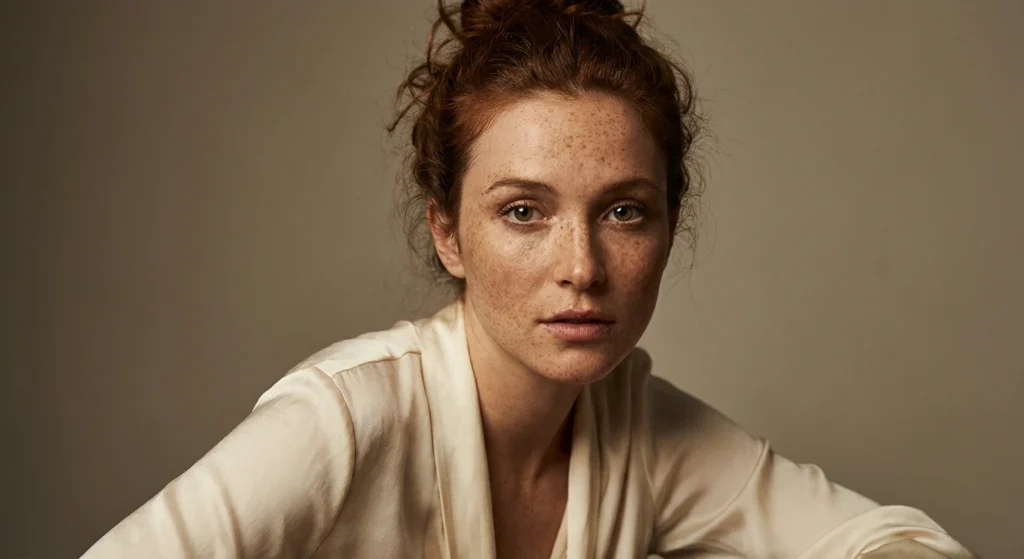
Prompt:
"Editorial fashion portrait of a woman with freckles, messy bun hairstyle, wearing a silk blouse, studio lighting with soft shadows, sharp focus on the eyes, f/2.8 aperture, shot on Hasselblad, high-detail skin texture, cinematic color grading."
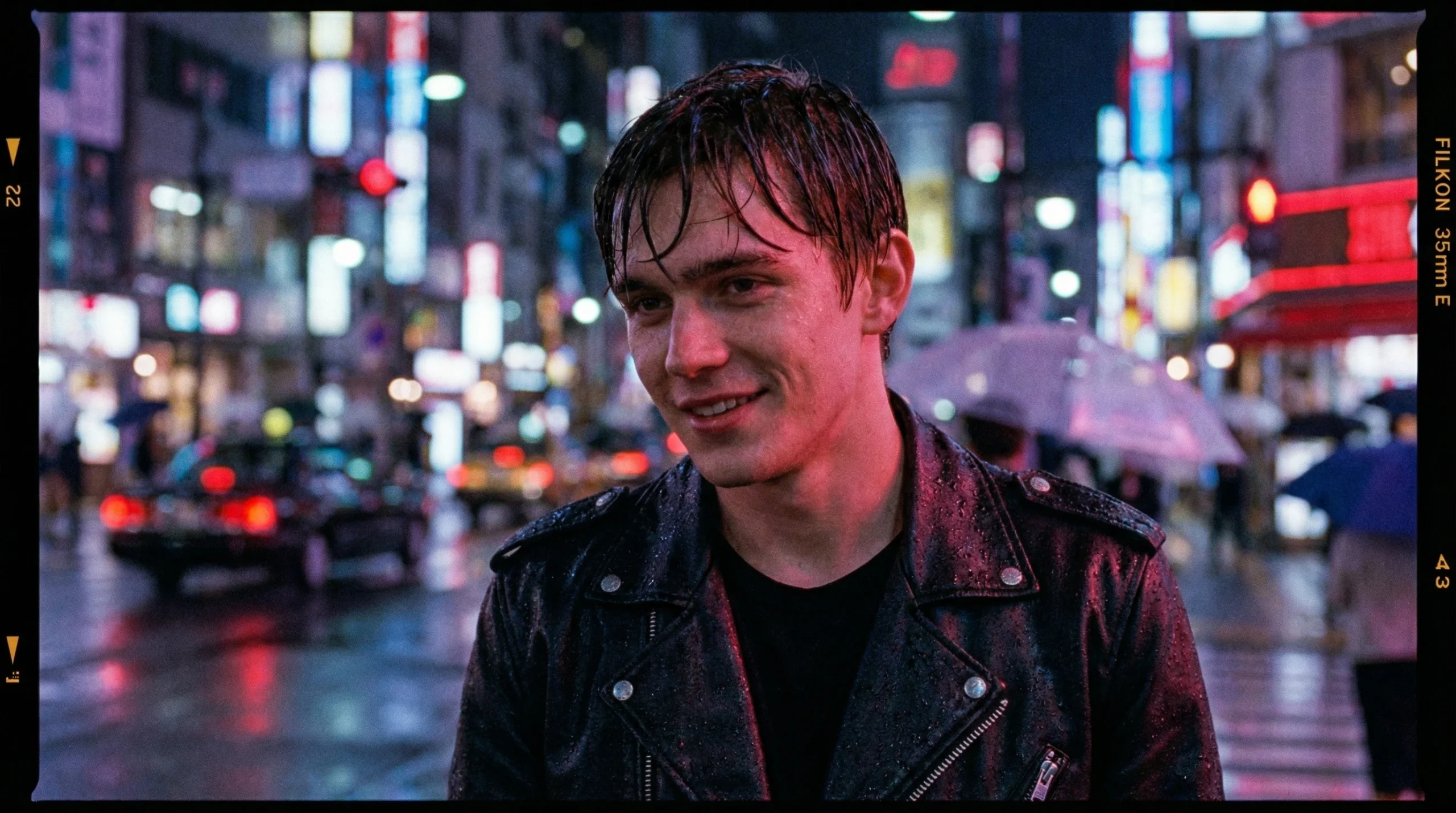
C. The Candid Street StylePrompt:
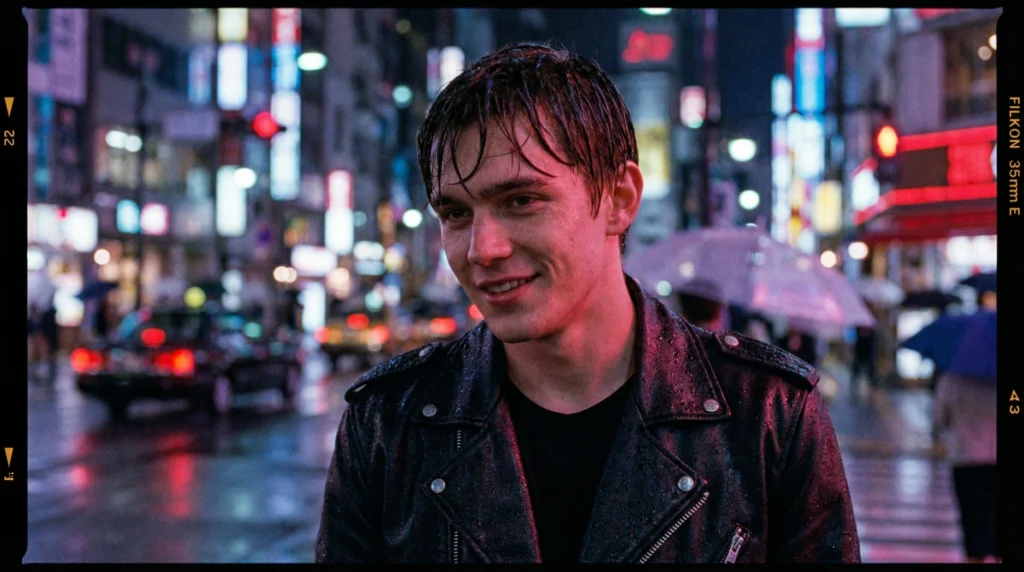
"Candid street photography portrait of a young man in a neon-lit city at night, rain droplets on his leather jacket and skin, cinematic bokeh background with blurred city lights, shot on 35mm film, grainy texture, moody atmosphere, realistic reflections."
4. Lighting is Everything:
The way light hits a face determines if it looks “fake” or “real.
” Instead of just “lighting,” try these: Golden Hour For warm, soft, and glowing skin tones.
Rembrandt Lighting: For a dramatic, artistic, and moody portrait with a signature triangle of light on the cheek.
Side Lighting: To emphasize texture and depth in the face.
5. Pro Tip:
Refining Your Results in Gemini
If the first result isn’t perfect, don’t start over. Use the Refine feature. Ask Gemini to:
“Make the skin texture more detailed.”
“Change the lighting to a warm sunset glow.”
“Adjust the camera angle to eye-level.
Conclusion
Creating realistic humans in Gemini is all about specificity. By combining professional photography settings with detailed descriptions of skin and light, you can bypass the “AI look” and create portraits that are indistinguishable from real photos.
you may like: Gemini AI Couple Prompt – Cinematic Romantic Studio Portrait