
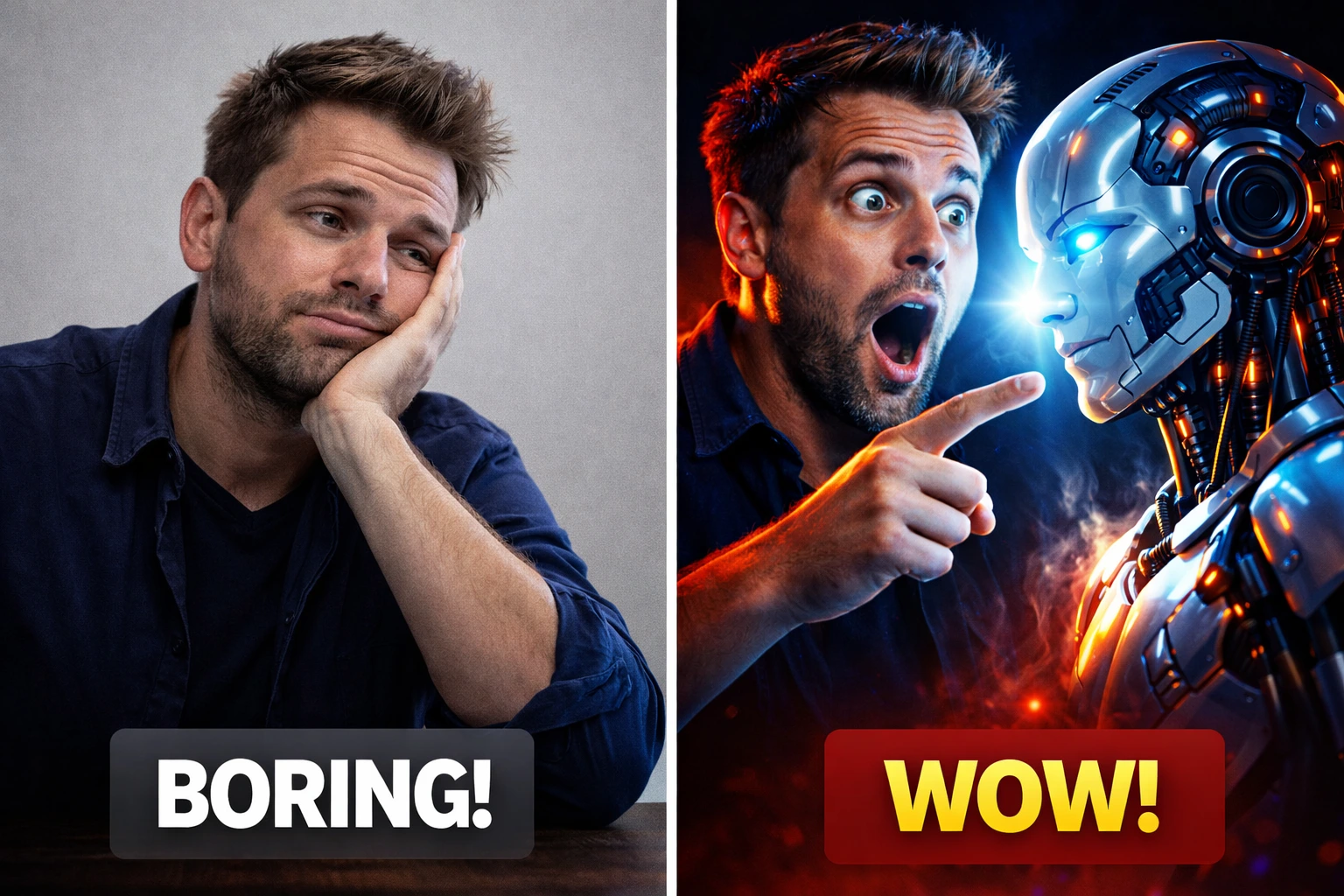
In today’s competitive YouTube landscape, your thumbnail is often more important than the video itself. No matter how good your content is, if your thumbnail does not grab attention, people simply won’t click.
This is where AI tools like Gemini come in. With the right prompts and techniques, you can create highly clickable thumbnails that look professional, dramatic, and optimized for high click-through rates (CTR).
In this guide, you will learn exactly how to design eye-catching YouTube thumbnails using AI, even if you have no design experience.
Why Thumbnails Matter for YouTube Growth
YouTube is a visual platform. Before viewers decide to watch your video, they look at two things:
- The title
- The thumbnail
If your thumbnail stands out, your CTR increases. And when CTR increases, YouTube pushes your video to more people.
High-performing thumbnails usually have:
- Strong contrast
- Clear subject
- Emotional expression
- Minimal distractions
AI helps you generate these elements instantly.
Understand What Makes a Thumbnail Clickable
Before generating thumbnails, you need to understand what works.
The most effective thumbnails usually include:
- A human face with strong emotion (shock, surprise, curiosity)
- Bright or contrasting colors
- A clear focal point
- Simple composition
Avoid:
- Too many elements
- Small unreadable details
- Flat lighting
Think of your thumbnail as a “visual hook”.
Start with a Strong Prompt for Thumbnail
The quality of your thumbnail depends on your prompt.
A weak prompt:
man with laptop
A strong prompt:
dramatic youtube thumbnail of a shocked man staring at a glowing ai robot, high contrast lighting, bold colors, cinematic shadows, ultra sharp, clickbait style, 16:9
result:

A good prompt should include:
- Subject (person, object)
- Emotion
- Lighting
- Style (cinematic, clickbait, dramatic)
- Format (16:9)
Use Emotional Expressions in the Thumbnail
Emotion is one of the most important factors in thumbnail design.
People click on emotions.
Best emotions to use:
- Shock 😲
- Fear 😨
- Excitement 😃
- Curiosity 🤔
Example prompt:
youtube thumbnail of a surprised man with wide eyes pointing at a glowing screen, dramatic lighting, high contrast, ultra sharp, 16:9
result:

Master Lighting and Contrast
Lighting creates depth and drama.
Best lighting styles:
- Dramatic lighting
- Neon glow
- Dark background + bright subject
- Golden light highlights
Example:
dark background with glowing neon blue light on subject face, cinematic lighting, high contrast, ultra sharp
result:

Add Clickbait Elements (But Smartly)
Clickbait does not mean fake.
It means:
- Curiosity
- Mystery
- Drama
Elements that work:
- Glowing objects
- Arrows
- Contrasting elements
- Before/after
Generate Multiple Variations
Never rely on one thumbnail.
With AI, you can generate:
- 5–10 versions
- Different lighting
- Different emotions
Then choose the best one.
This increases your chances of getting a high CTR.
Optimize for 16:9 Format
Always specify:
- 16:9 ratio
- High resolution
- Clear composition
This ensures your thumbnail fits perfectly on YouTube.
Edit and Enhance (Optional)
After generating the image, you can slightly improve it using tools like:
- Photoshop
- Canva
You can:
- Add text
- Increase brightness
- Adjust contrast
Test and Improve
The best thumbnails are tested, not guessed.
Track:
- CTR
- Views
- Watch time
If a thumbnail is not performing:
- Change emotion
- Change colors
- Change composition
Common Mistakes to Avoid
- Using low contrast images
- Too many details
- No clear subject
- Flat lighting
- No emotion
Conclusion
Designing eye-catching YouTube thumbnails no longer requires advanced design skills. With AI tools like Gemini, you can create professional, high-CTR thumbnails in minutes.
The key is not just generating images, but understanding what makes people click. Focus on emotion, contrast, simplicity, and strong composition.
Once you master these elements, your thumbnails will stand out — and your videos will get more clicks.
FAQ
What is the best size for YouTube thumbnails?
The best size is 1280×720 with a 16:9 ratio.
Can AI really create professional thumbnails?
Yes. With proper prompts and lighting, AI can generate high-quality thumbnails comparable to professional designs.
How many thumbnails should I test?
At least 3–5 variations for better results.
You may like: What Are AI Prompts? A Beginner’s Guide to Prompt Engineering