
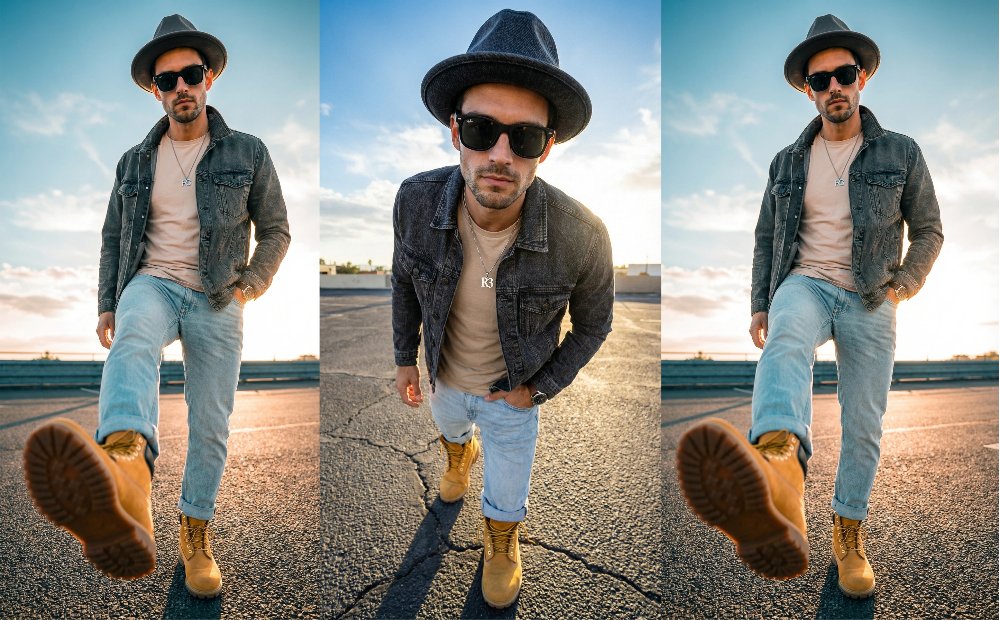
If you’re looking to create hyper-realistic AI fashion photography that looks like it came straight out of a high-end editorial magazine, you’re in the right place. Today, we’re breaking down a sophisticated “Worm’s-Eye View” prompt that focuses on perspective, lighting, and extreme detail.
The Aesthetic: Urban Realism & Golden Hour
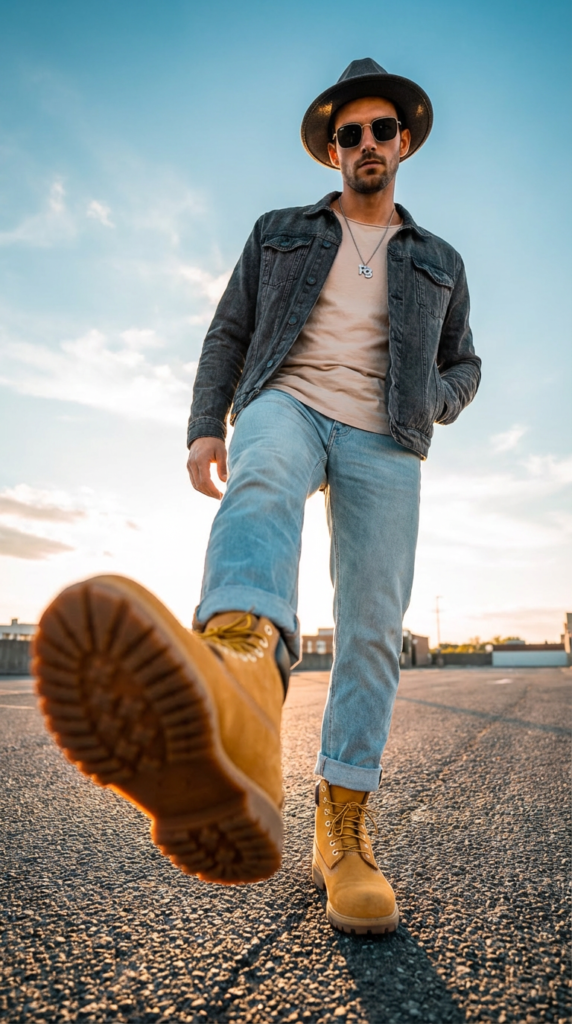
This prompt is designed to produce a professional streetwear look. It uses a wide-angle lens (16-24mm) effect to create a “forced perspective,” making the foreground (the boots and asphalt) pop, while keeping the subject confident and stylish.
The Master Prompt
Copy and paste this exact prompt into your Gemini app to get the same professional result:
Prompt:
Ultra-realistic cinematic vertical portrait, 9:16 aspect ratio, worm’s-eye view with strong forced perspective. Shot from an extreme low angle using a wide-angle lens (16–24mm) to exaggerate foreground distortion.
A slender, proportionally built man stands confidently on urban asphalt outdoors. The closest leg dominates the foreground due to wide-angle distortion, wearing high-top yellow work boots with thick rubber soles and brown laces. The asphalt texture is sharply detailed in the foreground.
Body slightly angled to the side, right hand inside pocket, calm and confident expression.
Modern streetwear outfit: – Pale beige / light cream plain t-shirt
– Dark gray or black textured denim jacket (robust fabric)
– Light wash jeans with rolled cuffs
– Wristwatch on left wrist
– Fedora hat in the exact same color as the jacket
– Square Ray-Ban sunglasses (black frame, classic rectangular shape)
– Silver pendant necklace with the letters “R3” clearly visible
Hair is short in a messy-neat style.
Golden hour lighting with dramatic warm backlight. Strong rim lighting outlining the jacket and shoulders. Subtle cinematic lens flare. Blue sky with soft white clouds. Teal-orange cinematic color grading. Editorial urban fashion aesthetic.
Camera settings: Sony A7R V, wide-angle 16–24mm lens, ISO 100, f/2.8 aperture, short focal distance to enhance distortion, manual exposure. Warm cinematic filter, high sharpness on asphalt foreground, subtle flare, golden backlight.
IMPORTANT — FACE ACCURACY: Use the provided reference image as the exact facial base. Preserve 100% of facial proportions, skin texture, asymmetries, imperfections, eye spacing, jawline, cheekbone structure, hairline, nose width, lip shape, skin tone, and eye color. Do NOT beautify, modify, slim, sharpen, or alter any facial feature. Maintain absolute realism and identity accuracy.
Hyper-realistic, photorealistic DSLR quality. –ar 9:16 –style raw –style photographic –q 2
Key Technical Settings for Best Results
To achieve this level of realism, here are the “hidden” settings used in this prompt:
- Aspect Ratio: –ar 9:16 (Perfect for TikTok, Reels, or mobile wallpapers).
- Angle: Worm’s-eye view. This makes the character look taller and more dominant.
- Lighting: Golden Hour. It adds that warm, expensive-looking rim light around the clothes.
- Camera Gear: Mentioning the Sony A7R V tells the AI to mimic high-resolution sensor textures and realistic depth of field.
How to Customize This Prompt
- Want to make it your own? Try changing these variables:
- The Boots: Swap “yellow work boots” for “white chunky sneakers” for a more modern vibe.
- The Background: Change “urban asphalt” to “wet neon streets” for a Cyberpunk aesthetic.
- The Lighting: Replace “Golden hour” with “Midnight neon lighting” to get a moody, nighttime look.
Final Pro-Tip
If you are using a reference image for the face (Face Swap), make sure to keep the –style raw parameter. This ensures the AI doesn’t “beautify” the face too much and maintains the natural skin textures and imperfections that make a photo look real.
What do you think of this urban style? Show us your results in the comments below!
You may like: Gemini AI Prompt for Stylish Photoshoot: 5 Viral Ideas